Millennial Digital Planner Side Hustle: The Proven Path to Real Income in 2026
Introduction
You already spend time organizing your life. What if that same habit could pay your bills?
The millennial digital planner side hustle has quietly become one of the most accessible and scalable ways to earn money online. No warehouse. No inventory. No shipping labels at midnight. Just you, a design tool, and a product that sells while you sleep.
Millions of millennials are turning their organizational skills into digital products that generate real, recurring income. Some start with $0 in startup costs. Others scale to six figures within two years. And the barrier to entry has never been lower.
This article walks you through exactly what a digital planner side hustle is, why millennials are perfectly positioned to win at it, how much you can realistically earn, and the step-by-step process to launch yours. Whether you are brand new or already selling a few planners, you will find something useful here.
What Is a Digital Planner Side Hustle?
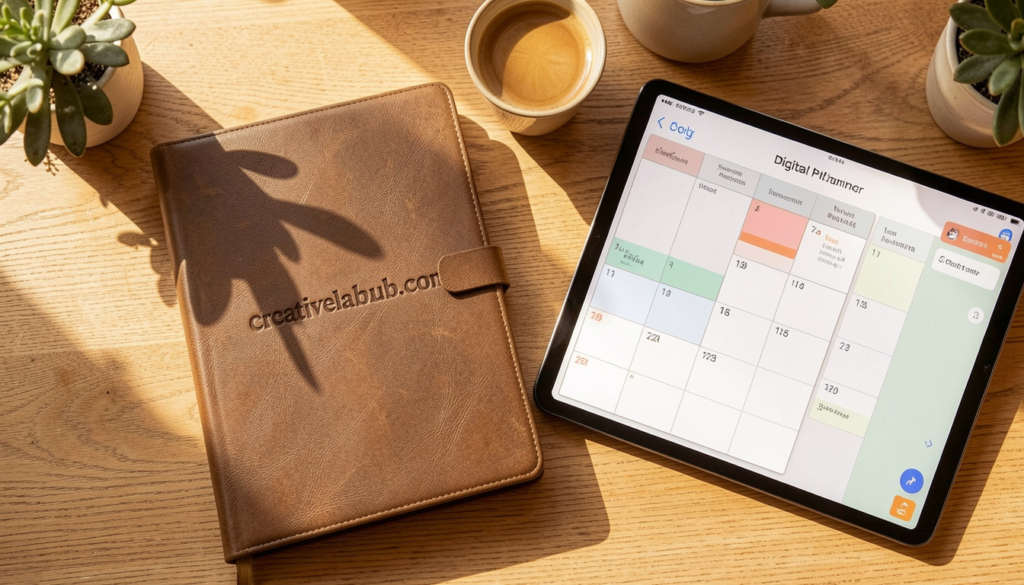
A digital planner is a PDF or GoodNotes-compatible file that users download and use on their tablet, phone, or computer. Think of it as a traditional paper planner, but fully interactive.
Buyers use these planners to track goals, manage budgets, plan meals, organize their workweek, journal, and more. The files are purchased once and downloaded instantly. You create the file one time. Then it sells over and over again.
That is what makes this side hustle so powerful. You do the work once and earn from it repeatedly.

Why Millennials Are Built for This Business
Millennials grew up in the gap between analog and digital. You understand both worlds. You know why someone wants a beautiful, functional planner. You also know how to navigate digital tools and online platforms without breaking a sweat.
Here is why this model fits the millennial lifestyle so naturally:
- You already use planners, calendars, and productivity apps
- You are comfortable selling through platforms like Etsy and Gumroad
- You value flexibility and hate traditional 9-to-5 constraints
- You grew up watching side hustles become full careers
- You understand niche communities and how to market to them
This is not about luck. This is about using what you already know.
How Much Can You Actually Earn?
Let’s be honest here. Earnings vary wildly. But the data is encouraging.
According to Etsy seller reports and creator income surveys, a beginner digital planner seller can expect to earn between $200 and $800 per month within the first six months, assuming consistent effort and smart product positioning.
Intermediate sellers with an established shop and a few best-sellers commonly report $1,500 to $4,000 per month. Top sellers, particularly those with Pinterest or TikTok traffic driving to their shops, have shared screenshots showing $10,000 or more per month.
Income Breakdown by Stage
Beginner (0 to 6 months): Monthly income typically ranges from $50 to $800. Focus is on creating your first five to ten planners and learning your platform.
Growing (6 to 18 months): Monthly income can reach $800 to $3,500. You have reviews, repeat buyers, and traffic coming in from social media or search.
Established (18 months and beyond): Monthly income often exceeds $4,000. You likely have a bundle strategy, email list, and possibly your own website in addition to Etsy.
These numbers are not guaranteed. But they are achievable. And unlike most side hustles, you are building an asset, not just trading time for money.
How to Start Your Millennial Digital Planner Side Hustle
Starting is simpler than most people expect. You do not need graphic design experience. You do not need expensive software. You need a plan, some patience, and the willingness to learn as you go.
Step 1: Pick Your Niche
Generic planners are hard to sell. Niche planners sell fast.
Start by thinking about a specific audience or life situation. Here are examples of niches that consistently perform well:
- Budget planners for millennials paying off student loans
- Weekly planners for remote workers and freelancers
- Fitness and wellness planners for women in their 30s
- Business planners for new entrepreneurs and side hustlers
- ADHD-friendly daily planners with simple layouts
- Wedding planning digital binders
- Homeschool planners for millennial parents
- Habit trackers for people in recovery or building new routines
The more specific your niche, the less competition you face. A “daily planner” competes with thousands of listings. A “digital planner for ADHD freelancers” reaches a highly motivated, underserved buyer.
Step 2: Choose Your Tools
You do not need Photoshop. Most successful digital planner creators use one of these tools:
Canva Pro: Easiest starting point. Great templates. Export as PDF. Canva Pro costs around $12.99 per month and is worth every cent for beginners.
PowerPoint or Keynote: Free, surprisingly capable, and easy to use if you already know Office tools. Many creators swear by PowerPoint for its precision.
Adobe InDesign: More advanced. Better for complex layouts and professional-grade output. Worth learning if you plan to scale.
GoodNotes or Notability Templates: If you want to create tablet-friendly planners with hyperlinked tabs, you will need to learn basic hyperlinking inside PDF tools.
Start simple. Launch something imperfect. Then improve with every version.
Step 3: Design Your First Planner
Your first planner does not need to be perfect. It needs to be useful.
Think about your target buyer. What does their typical day or week look like? What are they struggling to track? What layout would feel natural to them?
A basic digital planner structure might include:
- Cover page with your brand name
- Year at a glance
- Monthly calendar spread
- Weekly layout with time blocks
- Daily page with priorities and notes
- Goal tracker
- Habit tracker
- Notes pages
Keep the design clean. Use two or three colors. Stick to one or two readable fonts. Buyers want function, not just beauty.
Step 4: Set Up Your Shop
Etsy remains the best starting point for most millennial digital planner sellers. Here is why:
- Built-in search traffic with millions of buyers
- Easy to list digital downloads
- No inventory or shipping required
- Established trust with buyers
Your Etsy listing needs a strong title, clear photos (mockups work great), and a description that speaks directly to your buyer. Use keywords your target buyer would actually search for. Think like your customer, not like a seller.
You can also sell on:
- Gumroad: Simple, no listing fees, great for creators with an audience
- Payhip: Free plan available, clean checkout experience
- Your own website (Shopify or Squarespace): Best for long-term brand building
Most sellers start on Etsy, then expand to their own site once they have consistent revenue.
Step 5: Price Your Planners Strategically
A common mistake is underpricing out of insecurity. Do not do that.
Budget planners and simple trackers typically sell for $3 to $8. Full annual planners and bundles sell for $12 to $35. Premium, niche-specific planner bundles with multiple files can sell for $40 to $80 or more.
Research your competitors. Look at their reviews and sales count to gauge demand. Price yourself in the middle range while you build reviews, then raise your prices as your social proof grows.

Marketing Your Digital Planner Business
Creating great planners is only half the game. Getting eyes on your shop is the other half.
Pinterest: Your Most Underrated Growth Tool
Pinterest functions more like a search engine than a social media platform. A pin you create today can drive traffic to your shop two years from now.
Create vertical images (1000 x 1500 pixels) that showcase your planner. Pin consistently. Use keyword-rich descriptions. Many digital planner sellers report that Pinterest is their number one traffic source.
TikTok and Instagram Reels
Short-form video has changed everything. A 30-second clip showing someone using your planner on their iPad can go viral and drive thousands of visits to your Etsy shop overnight.
You do not need to show your face. Screen recordings, voiceovers, and aesthetic lifestyle shots all work. Consistency matters more than perfection.
Email List Building
This is the long game. When you have an email list, you own your audience. Social platforms change their algorithms. Your email list stays.
Offer a free mini planner or one-page template as a lead magnet. Collect emails through your website or a free Mailchimp account. Then send occasional emails about new products, seasonal planners, or exclusive discounts.
Common Mistakes New Sellers Make
Learning from others’ mistakes saves you months of frustration. Watch out for these:
Creating too many products too fast. Launch one great planner. Market it hard. Then create the next one based on what buyers actually request.
Ignoring SEO completely. If no one can find your listing, no one can buy it. Spend time learning basic Etsy SEO. It pays off immediately.
Quitting after the first slow month. Most shops do not gain traction in the first 30 to 60 days. The sellers who succeed are the ones who stay consistent past the awkward early stage.
Copying competitors exactly. Inspired by someone else’s planner style is fine. Copying their exact layout and wording is not. Find your own voice and visual identity.
Skipping customer service. A quick, kind response to a buyer question builds loyalty and reviews. Reviews drive sales. Treat every buyer like they are your most important customer.
Scaling From Side Hustle to Full-Time Income
Many millennials start this as a weekend project and end up quitting their day job within two years.
Scaling happens through a few key strategies:
Build a bundle strategy. Bundles sell at higher price points and feel like more value. A complete “Wellness Planner Bundle” with a daily planner, habit tracker, meal planner, and gratitude journal can sell for $30 to $60 as a package.
Create seasonal planners. New Year planners, back-to-school planners, and holiday budget planners spike in search traffic at predictable times every year. Plan your content calendar around these peaks.
License your designs to other creators. If you create clean, versatile templates, other planners sellers might pay to license your base designs. This adds an entirely new revenue stream.
Launch a paid workshop or course. Once you have a few hundred sales and some credibility, teach others what you know. A $97 course on “How to Launch Your Digital Planner Business” can earn more in a week than a planner earns in a month.
Conclusion
The millennial digital planner side hustle is not a trend. It is a proven business model built on a simple idea. Create something useful once, sell it forever.
You already have the mindset for this. You understand digital tools, niche communities, and the value of passive income. The only thing standing between you and your first sale is the decision to start.
Pick your niche this week. Design your first planner this weekend. List it before the month ends.
And then? Keep going. The creators who win are the ones who treat this like a real business from day one.
What niche are you thinking about for your first digital planner? Drop your idea in the comments or share this article with a friend who needs a new income stream this year.
Frequently Asked Questions
1. How much does it cost to start a digital planner side hustle? You can start for nearly nothing. Canva has a free plan. Etsy charges $0.20 per listing. Many sellers launch their first shop for under $20.
2. Do I need design skills to create digital planners? No. Canva and PowerPoint templates make it easy for beginners. Start simple and improve with each new product.
3. How long does it take to make my first sale? Most sellers make their first sale within two to eight weeks, depending on how much effort they put into listings and marketing.
4. What platform is best for selling digital planners? Etsy is the best starting point for most beginners due to its built-in traffic and buyer trust. You can expand to your own website later.
5. Can I sell the same digital planner on multiple platforms? Yes. You can sell the same file on Etsy, Gumroad, Payhip, and your own website at the same time.
6. Do digital planners work on any device? Most digital planners work on iPads with GoodNotes or Notability. PDF versions work on any device with a PDF reader, including Android tablets and computers.
7. Is the digital planner market too saturated? The general market is competitive. Niche planners targeting specific audiences are still wide open. Focus on a specific problem for a specific person.
8. How many planners do I need to start earning consistently? Most successful sellers recommend launching with at least five to ten listings. This gives buyers more to browse and improves your shop’s credibility.
9. Do I need a business license to sell digital planners? It depends on your country and state. In the US, many sellers operate as sole proprietors without a formal license at first. Check your local regulations and consider forming an LLC once you start earning regularly.
10. What makes a digital planner sell well? Clear niche targeting, high-quality mockup images, keyword-optimized titles and descriptions, competitive pricing, and consistent marketing are the biggest factors.
also read: encyclohealth.com
email: johanharwen@314gmail.com
Author Name: Sara Mitchell
About the Author : Sara Mitchell is a digital product strategist and content writer who has spent five years helping millennials build profitable online businesses. She has launched multiple Etsy shops and written extensively on passive income, digital design, and the creator economy. When she is not writing, she is testing new planner layouts or exploring ways to simplify the path from idea to income.